


What Quartermaster Software Can Do and How to Find the Right One
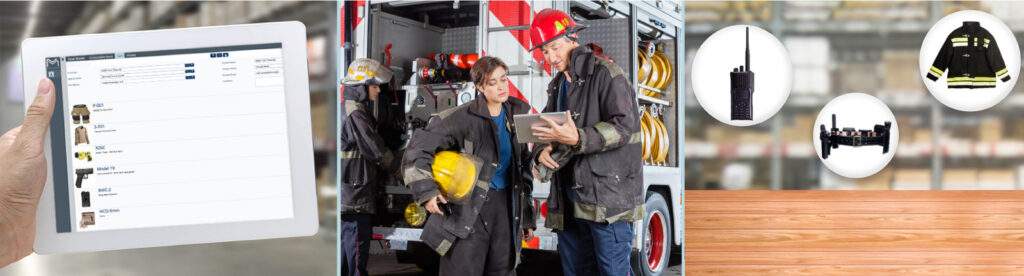
The right quartermaster software lets you issue serialized gear and consumables in one transaction, pull any item’s full history in one search, tie issued gear to the holder’s certification, and keep records ready for CALEA, NFPA, and DEA audits. To find it, list the problems you need to fix, rank the features below, and test every vendor against the same demo questions.
Alicia runs an EMS agency that covers four counties with a fleet of emergency vehicles. Portable AEDs were one of her most frequent reorders. She chalked it up to the chaos of emergency calls, and small equipment losses had been normal there for years.
Then a teammate shopping for a personal AED found one on an online marketplace. The seller was one of their own drivers, who had been rotating through vehicles and routes, taking equipment, and reselling it. When she shared the story with our team at a trade show, she put it simply: “If I had this tool earlier, that problem would never have lasted as long as it did.”
Names and details have been changed.
What Quartermaster Software Does
Quartermaster software manages how an agency issues, tracks, and accounts for equipment and supplies. It records who holds each item, proof they received it, its inspection and maintenance history, and when it’s due for replacement.
For a law enforcement agency, that means knowing which officer holds every duty weapon, patrol rifle, vest, taser, radio, and bodycam, whether they’re current to carry it, and what they still have outstanding on their last day. For a fire department, it means tracking SCBA and turnout gear by firehouse and engine. For EMS, it means keeping every rig stocked with in-date medications.
Agencies that manage many types of serialized assets and consumables, for many users across many locations, have the most to gain. There are only a handful of quartermaster solutions, and they aren’t equal. Use the features below as a checklist, ranked by what matters most to your agency.
Not sure you need it yet? Start with How to Know If You Need Quartermaster Software.
Key Quartermaster Software Features
One-Transaction Requests and Issuance
Users should be able to request serialized assets and consumables together in one cart and see only the items their assignment permits. A patrol officer shouldn’t see SWAT gear, and a K-9 handler should see the K-9 kit. The quartermaster should be able to issue the order to a person, vehicle, location, or division in a single transaction, whether that’s a full kit for every recruit in an academy class or a restock order for an entire engine company.
Ask in the demo: Can a patrol officer request a radio, a holster, and a box of duty ammunition in one order?
Check-In, Check-Out, and Proof of Receipt
Every issue and return should capture who received the item and when, with a signature or acknowledgment at the counter. Barcode scanning speeds up issuance, returns, and counts, such as a duty weapon coming back for armorer service, a bodycam swapped out at the start of a shift, or an SCBA returned after a structure fire.
Ask in the demo: Show me how a returned patrol rifle is scanned back in and where that record lives.
Full Item History
You should be able to pull one item’s complete record in a single search. Take one patrol rifle: every officer who has carried it, when it last passed armorer inspection, when the optic was replaced and what it cost, and whether the current holder is qualified to carry it.
Ask in the demo: Pull the full history for one patrol rifle or SCBA, start to finish.
Certification Tied to Custody
General inventory tools don’t know whether the person holding an item is qualified to use it. Look for software that links issued gear to the holder’s current certification, such as firearms qualification, taser certification, or a paramedic’s credentials.
Ask in the demo: What happens when an officer’s weapons qualification lapses while they’re still issued a rifle?
Alerts and Automated Workflows
The system should flag what’s coming before it becomes a problem: body armor nearing its expiration date, duty ammunition running low before qualification season, an officer’s certification coming due, or medications on an ambulance nearing expiration. The strongest tools let you turn on workflows that act on those alerts, so low stock creates the purchase request and a failed inspection creates the work order.
Ask in the demo: Which workflows can we turn on, and what happens when ammunition stock drops below a set level?
Maintenance and Inspections
Scheduled and reactive maintenance should be tracked against each item, so gear doesn’t fail in the field or sit out of service waiting on parts. For law enforcement, that includes armorer inspections on duty weapons and patrol rifles, taser function checks, and in-car equipment. Fire and EMS teams need the same for service intervals like NFPA requirements for SCBA and turnout gear.
Ask in the demo: How are armorer inspection intervals set, and who gets notified when one is missed?
Audit-Ready Records
Submitted records shouldn’t be editable by the user, and every action should leave an audit trail. When a CALEA assessor asks for proof of weapons inspections, issuance, and qualifications, you hand over the history as it happened, not one you have to defend. The same holds for NFPA reviews in fire and DEA audits in EMS. Grant-funded equipment, like vests or bodycams bought with federal or state grants, should stay tied to the grant that paid for it.
Ask in the demo: Can a user change a record after it’s submitted? Show me the audit trail.
Role-Based Access and Views
Access should range from view-only to full admin, with each person seeing what their role needs. A quartermaster needs the supply room, a range master needs qualification status, a fire logistics officer needs their stations, and a chief needs agency-wide readiness.
Ask in the demo: Show me the same data from a quartermaster’s login and a chief’s login.
Integrations
Quartermaster software should connect with the systems you already run, such as your radio system, HR and training records, RMS and CAD, and finance and purchasing. Every integration removes a round of double entry. For example, a direct radio connection keeps each radio’s programming and service history with the radio.
Ask in the demo: Which of our current systems connect directly, and is there an open API for the rest?
Reports and Plain-Language Questions
Reports and dashboards should show usage, replacement rates, costs, and trends by division, model, and location, such as which vest models are replaced most often, which division goes through the most ammunition, or which station uses the most medical supplies. Some platforms also let you ask questions in plain language, such as which radios are due for replacement or which officers are coming up on a qualification lapse, and get answers from your own records.
Ask in the demo: Which models do we replace most often, and which division uses the most gear? How fast can you answer that?
Configuration and Scalability
The software should be configured to your agency’s assets, hierarchies, and tracking fields, and grow with you without losing historical data, whether you add a new substation, a drone program, or a new fire station.
Ask in the demo: If we add a new unit or asset type next year, what changes and what stays?
Standalone Quartermaster Tool vs. a Platform With a Quartermaster Function
Some quartermaster tools only handle the supply room. Others are one function of a broader public safety platform. The difference shows up when you need inspections, certifications, evidence, or fleet records tied to the same items.
| Standalone Quartermaster Tool | Platform with a Quartermaster Function | |
| Issuance and Inventory | Yes | Yes |
| Inspections and Maintenance | Separate system or limited | Same record as issuance |
| Certification to Carry or Operate | Usually tracked elsewhere | Tied to the item and the holder |
| Evidence and Fleet | Separate systems | Same platform, same item record |
| Audit Prep | Pulled from several systems | One report from one record |
| Adding Capabilities Later | New vendor, new implementation | Attaches to items you already track |
| Item History When You Expand | Split across systems | Stays with the item |
If the supply room is your only gap, a standalone tool may be enough. If you expect to track inspections, certifications, evidence, or fleet within a few years, choosing a platform now avoids a second implementation and keeps every item’s history in one place.
Benefits of Quartermaster Software
The right solution should deliver these results:
- Less time on recordkeeping: No duplicate entry across email, spreadsheets, and ticketing systems. Just one record with one place to look.
- Fewer data errors: Standardized records and complete change histories.
- Lower replacement costs: Fewer lost items, fewer premature replacements, and fewer breakdowns from missed maintenance.
- Accountability: Issuance and return logs reveal heavy use, faulty equipment, loss, and misuse, from the AED losses in Alicia’s agency to a vest reissued three times in one year.
- Cleaner offboarding: One report of every item still issued to a departing officer, from badge and duty weapon to radio and bodycam.
- Better budget planning: Purchase and budget decisions based on actual usage history.
- Faster audits: Records ready for CALEA assessments, as well as NFPA and DEA reviews, without assembling them by hand.
How to Begin Your Search
- List the problems you need to fix. Lost gear, unrecovered items from departing officers, slow CALEA prep, missed armorer inspections, or double entry across systems. Keep this list in front of you so you choose the solution that solves your problems, not the one with the best pitch.
- Rank the features above. Mark which are must-haves and which are nice-to-haves, and use the result as your evaluation checklist.
- Talk to peer agencies. Ask neighboring police departments, sheriff’s offices, and fire departments what they use, what they’d change, and how long implementation took.
- Look for public safety specialists. Quartermaster software built for law enforcement, fire, and EMS will handle duty weapons, body armor, SCBA, and controlled substances the way your agency already runs them.
- Request demos from at least three vendors. Bring your problem list and checklist, and use the “Ask in the demo” questions above.
- Ask who leads onboarding. Find out whether the vendor’s own team handles data migration, configuration, and training, or hands it off to a third party. Ask what support looks like after launch as your agency’s needs grow.
How the MCM Platform Handles the Quartermaster Role
The MCM platform includes a quartermaster function alongside inspections, certifications, evidence, and fleet, so each item carries one record from first issue to retirement. Users request gear through a request cart, quartermasters issue it in one transaction with proof of receipt, and submitted records can’t be changed by the user.
The platform connects directly with Motorola Solutions, L3Harris, and EFJ/JVCKenwood radio systems, as well as Workday and your HR, RMS, CAD, and finance systems. MCM’s own team leads onboarding, including data migration, configuration, and training, and Managed Services are available as your needs grow.
Frequently Asked Questions
What features matter most in quartermaster software?
For most public safety agencies: one-transaction issuance with proof of receipt, full item history, certification tied to custody, alerts, and records that can’t be changed after submission. Rank the rest against the problems you need to solve.
Should we choose a standalone quartermaster tool or a platform?
A standalone tool can work if the supply room is your only gap, but it keeps that data siloed from the rest of the agency. If you’ll also need inspections, certifications, evidence, or fleet tracking, a platform keeps every item’s history in one record and avoids a second implementation.
How does quartermaster software help when an officer leaves the agency?
It pulls a single report of every item still issued to that officer, including badge, duty weapon, patrol rifle, vest, radio, and bodycam, so the agency knows exactly what to recover. Without it, outstanding items are often found weeks later, if at all.
Can quartermaster software help with CALEA accreditation?
Yes. CALEA assessors look for proof of issuance, inspections, and qualifications. When those records live in one place and can’t be changed after submission, pulling the proof takes minutes instead of days.
What should we ask during a quartermaster software demo?
Ask the vendor to pull one patrol rifle’s or SCBA’s full history, show what happens when a holder’s certification lapses, and show whether a submitted record can be changed. Also ask who leads onboarding and which of your current systems connect directly.
How do we move our records out of spreadsheets?
Ask each vendor who handles data migration. On the MCM platform, MCM’s own team leads data migration, configuration, and training, starting from industry-standard templates.
Is AI in quartermaster software secure?
It depends on the vendor, so ask how data is protected and who approves changes. On the MCM platform, the AI assistant is optional. It answers from your agency’s own records and suggests actions, but a person always approves any change. Data is encrypted at rest and in transit, and the assistant can be turned off at the account level.
See the Quartermaster Function in Action
Bring your problem list and feature checklist to a demo. We’ll show you how the MCM platform supports quartermasters in law enforcement, fire, and EMS agencies.
